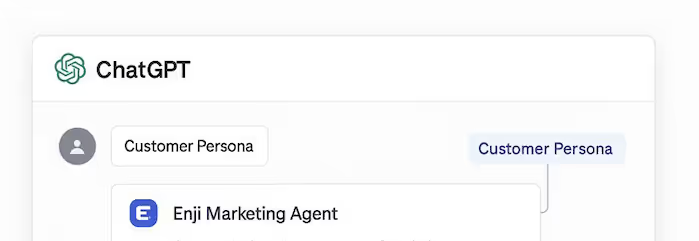
Enji’s AI Marketing Agent

Free AI marketing tools for small businesses, designed to work inside ChatGPT, Claude, and other AI clients.

The Enji Marketing Agent gives small business owners access to free, purpose-built AI marketing tools inside ChatGPT, Claude, and other AI clients. Get answers to your marketing questions from Enji, create customer personas, clarify your brand voice, and generate content ideas with confidence.

Accent

What Is the Enji AI Marketing Agent?

Unlike generic AI conversations, the Enji Marketing Agent uses structured tools built around real-world small business marketing needs. Each tool is designed to reduce guesswork and help you take clear, confident next steps—whether you’re defining your brand, planning content, or figuring out what to say next.

With the Enji Marketing Agent, you can:
  • ✔️ Use AI clients like ChatGPT and Claude to talk to Enji's expertise and tools
  • ✔️ Get grounded answers to common marketing questions from Enji's expertise
  • ✔️ Create clear customer personas
  • ✔️ Clarify your brand voice and tone
  • ✔️ Generate blog and social content ideas
The Enji Marketing Agent is not:
  • ✖️ A marketing automation platform
  • ✖️ A replacement for Enji’s full product
  • ✖️ A generic AI chatbot or prompt pack
  • ✖️ Built for large marketing teams or agencies

How to Connect the Enji AI Marketing Agent

You don’t need to install new software or learn anything technical to use the Enji Marketing Agent. It runs inside AI tools you may already be using, like ChatGPT and Claude. Once connected, you can start asking for personas, content ideas, and marketing guidance right away.

The Enji Marketing Agent uses the Model Context Protocol (MCP). Any AI client that supports MCP can connect to Enji using the server URL: https://mcp.enji.co/mcp/message and if there is an Authentication option choose None.

How to Use Enji's AI Marketing Agent with ChatGPT

  1. Open ChatGPT
  2. Go to Settings → Apps & Connectors
  3. Scroll to the bottom and click on Advanced Settings and turn on Developer Mode (if it’s not already enabled)
  4. Click Back and then where it says Enabled Apps and Connectors, click Create App
  5. Add the Name of Enji and for the MCP Server URL add https://mcp.enji.co/mcp/messages
  6. Optionally add Enji's logo as the Icon
  7. Set Authentication to No Auth
  8. Check the box that you understand click Create
  9. Let the ChatGPT chat session know you want to use Enji to do your work

How to Use Enji's AI Marketing Agent with Claude

  1. Open Claude
  2. Go to Settings and then Connectors
  3. Click Add custom connector
  4. Click Add custom connector
  5. Add the Name of Enji
  6. For the Remote MCP Server URL add https://mcp.enji.co/mcp/messages
  7. Click Add
  8. Let the Claude chat session know you want to use Enji to do your work
Cute Accent - Team

Frequently Asked Questions

Is the Enji Marketing Agent free?
Chevron

Yes. The Enji Marketing Agent is free to use inside supported AI clients. You can create customer personas, generate content ideas, create your brand voice, and get marketing guidance without paying for Enji.

Do I need a paid ChatGPT or Claude plan to use the Enji AI Marketing Agent?
Chevron

It depends on the AI client. Some AI tools require a paid plan to enable external connectors or MCP support. Enji itself does not charge for using the Marketing Agent.