If you're a solopreneur or small business owner doing your own marketing, you've probably tried to make a generic project management tool work for it. Asana board, Trello cards, maybe a color-coded Monday workspace you built one ambitious Sunday afternoon. And it sort of works until it doesn't. Because marketing isn't just a to-do list. It's a marketing plan, campaigns, content, scheduling, results — and none of that lives inside a generic project management tool.
This list is different from the other "best marketing PM software" articles you've found by Googling at 11 p.m. Most of them rank tools by feature count or compare them through the lens of an in-house marketing team at a 200-person company. We're doing it differently: every tool here is evaluated through the eyes of a solopreneur, wedding pro, web designer, consultant, or small business owner who is the marketing department.
That means we're asking three questions about every tool: What is it really for? Where does it work for small businesses? And, the part most listicles skip, where does it fall short for small businesses doing their own marketing?
According to Enji's 2025 State of Small Business Report, small business owners with a documented marketing plan are 3x more likely to follow through on their marketing tasks — yet fewer than a quarter have one. The right tool isn't the one with the most features. It's the one that closes the gap between having a plan and doing the plan.
Here's the short version, then we'll go deep on each:
- Enji — Best for solopreneurs and small business owners doing their own marketing
- CoSchedule — Best for content-heavy small businesses focused on editorial calendars
- HubSpot Marketing Hub — Best for small businesses ready to invest in a CRM and full marketing platform
- Monday.com — Best for small businesses that prefer visual, board-based workflows
- Asana — Best for small teams who need solid task management above all else
- Trello — Best for solopreneurs who just need the simplest possible task list
- Notion — Best for small businesses that want to build their own marketing system from scratch
- ClickUp — Best for small agencies and consultants who want maximum customization
- Teamwork — Best for small agencies managing client marketing
- Basecamp — Best for small teams who want flat-rate pricing and zero fuss
Quick comparison
A note on what we mean by "built for marketing." A tool is built for marketing if it does the things marketing actually requires including content creation, social scheduling, performance tracking, campaign planning — not just task management. Most "marketing project management" tools you'll find are really general project management tools with a marketing template. There's a real difference, and we'll get into it for each one.
1. Enji
Best for: Solopreneurs and small business owners doing their own marketing
Enji is purpose-built marketing project management software for the exact community this article is written for — solopreneurs, wedding professionals, web and graphic designers, coaches, consultants, and small business owners who don't have a marketing team and are doing the work themselves. Where every other tool on this list either organizes marketing tasks or handles a single slice of marketing (social scheduling, email, content), Enji is the only platform that combines marketing planning and doing in one place.
The phrase “planning and doing” is the difference. Generic project management tools hand you a blank calendar and a "Marketing Campaign" template, then leave you to figure out what to write, when to post, what your brand voice sounds like, and whether any of it is working. Enji starts with a 5-minute questionnaire about your business and builds you a personalized marketing plan and then adds the tasks to your calendar. Then it helps you actually do the work: drafting captions, blog posts, email newsletters, and more in your brand voice, scheduling and publishing your social posts directly, and tracking your marketing KPIs in a dashboard that doesn't require a spreadsheet degree to read.
Where it works for small businesses:
- Built for this exact problem. Enji was created by a small business marketing consultant who spent over a decade hearing the same complaints from wedding pros, designers, and creative service providers: too many tools, no real plan, no time to figure it out. Every feature is shaped by those constraints.
- One platform replaces 4-5 separate subscriptions. Most small business owners are paying for a separate social scheduler, AI writing tool, project management tool, and analytics dashboard. Enji combines all of them, and it tends to come in cheaper than just the social scheduler many people are already paying for.
- Marketing plan in 5 minutes. You answer a questionnaire about your business, goals, and available time. Enji builds the plan and populates your marketing calendar with recurring tasks. You're not staring at a blank board wondering what to do next.
- AI copywriter that actually sounds like you. Enji learns your brand and voice from your website and existing content, so the captions, blog drafts, and emails it helps you write don't sound like every other AI-generated post on the internet.
- Social media scheduling built in. Plan, draft, and publish to Instagram, Facebook, LinkedIn, Pinterest, Threads, YouTube, and TikTok without a separate Buffer or Later subscription.
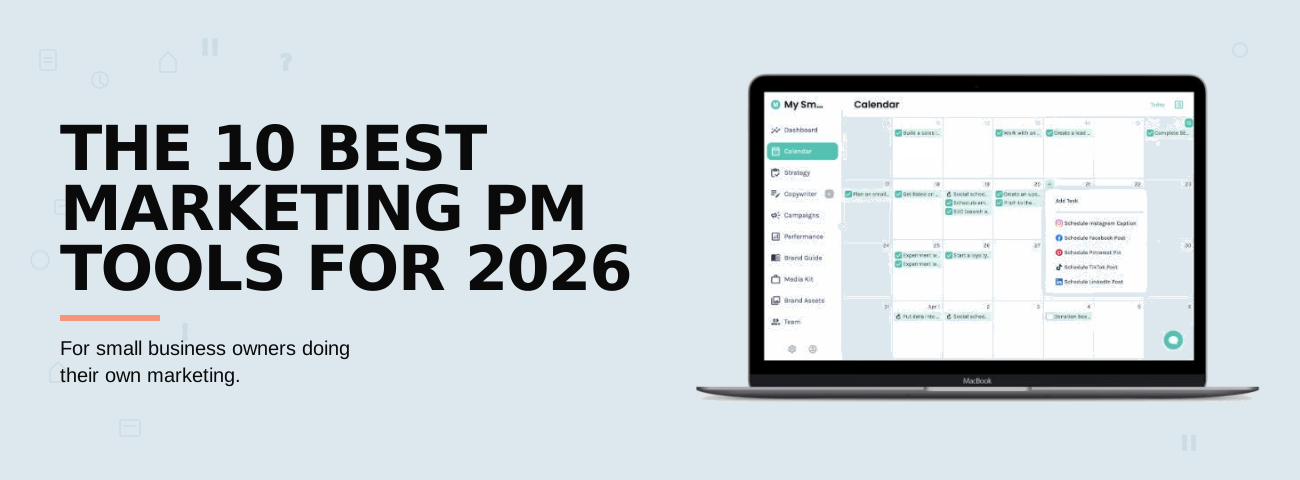
- Drag-and-drop marketing calendar for tasks and content. See every marketing task and every piece of content — social posts, blogs, campaigns, recurring to-dos — on one visual calendar you can rearrange with a drag. Reschedule a post or shift a whole campaign without rebuilding your plan from scratch.
- KPI dashboard pulls it all together. Connect your social accounts and Google Analytics, and you get a monthly view of what's actually working. No more guessing whether the marketing is paying off.
- Industry-specific guidance. Specific solution pages and templates for wedding pros, photographers, web designers, coaches, marketing consultants, and more. The tasks Enji recommends aren't generic — they're shaped by what works in your industry.
Where it falls short:
Enji isn't trying to be everything to everyone. If you're a 50-person marketing team running multi-channel campaigns with dedicated specialists for paid ads, SEO, and email automation, Enji isn't going to cover the depth you need and you'd want something like HubSpot Marketing Hub Professional or a stack of specialized tools. Same goes if you need a general project management tool for non-marketing work (client deliverables, internal operations, product development). Enji is built specifically for marketing, not for running every kind of project your business has.
For agencies: Enji also works for small agencies and consultants managing marketing for multiple clients. Each client gets their own workspace with a separate marketing plan, campaigns, content, scheduling, and analytics, and you toggle between them from one login. Invite your customer in and collaborate with them through Enji. If that's your use case, the Marketing Project Management for Small Agencies page covers how it's set up for that workflow.
Pricing: Social Media Only is $19/month (or $189/year), Full Marketing Suite is $29/month (or $289/year). Flat pricing, no per-seat math, no minimum users. 14-day free trial, no credit card required. See pricing →
2. CoSchedule
Best for: Content-heavy small businesses focused on editorial calendars
CoSchedule pioneered the "marketing calendar" category and has been around long enough that it's a familiar name to most small business owners who've gone deep on content marketing. It's a marketing calendar at its core, with social publishing, AI-assisted content writing, and workflow tools layered on top. For a small business that lives or dies by an editorial calendar (bloggers, podcasters, content creators, and businesses with a strong publishing rhythm) CoSchedule is the closest thing on this list to a marketing-native tool besides Enji.
Where it works for small businesses:
- Visual calendar that genuinely works. Drag-and-drop scheduling across content types makes it easy to see what's publishing where and when.
- Social Calendar plan is genuinely affordable. At $19/user/month, it covers what a lot of small businesses need for content + social.
- Free Calendar tier exists. One user, 15 scheduled posts — enough to get started.
- Built-in AI for headlines and first-draft copy. Not as personalized as Enji's brand-voice-trained AI, but useful.
Where it falls short for small businesses doing their own marketing:
- No marketing strategy generator. CoSchedule assumes you already know what you're doing. It gives you a calendar to organize your plan, but not the plan itself. If you're starting from "I should probably do more marketing but I don't know where to start," CoSchedule won't bridge that gap.
- Per-user pricing adds up fast. $19/user/month sounds reasonable until you need to add a contractor or VA. Compare that to flat pricing where one fee covers your business.
- Profile limits and add-on costs. The Social Calendar plan caps you at 3 social profiles, with each additional profile costing $5/month. Twitter/X isn't included on the base plan at all.
- The Marketing Suite is built for mid-sized marketing teams, not solopreneurs. Pricing for Content Calendar and Marketing Suite is "contact us" and that’s usually a sign it's priced for companies with a marketing budget, not for the one-person band.
- No KPI dashboard for measuring marketing results. You can track post performance, but you won't get a unified view of whether your marketing is moving your business forward.
Pricing: Free Calendar ($0), Social Calendar ($19/user/month), Agency Calendar ($59/user/month), Content Calendar and Marketing Suite (custom pricing).
3. HubSpot Marketing Hub
Best for: Small businesses ready to invest in a CRM and full marketing platform
HubSpot is the gold standard in the all-in-one marketing platform category including CRM, email marketing, landing pages, forms, ads, automation, and content — the works. For small businesses with an actual marketing budget and the bandwidth to learn a more complex system, HubSpot Marketing Hub can be a serious growth lever. For a true solopreneur with much less than 15 hours a week for marketing, it's almost certainly overkill.
Where it works for small businesses:
- Free tier is genuinely useful. Free CRM, basic email marketing, forms, and live chat with HubSpot branding. Many small businesses run on this tier for years.
- Starter plan ($20/seat/month) is reasonably priced for what you get — landing pages, simple automation, and the branding removed from your emails.
- Tight integration between marketing, sales, and service. If your business has a sales process, the way Marketing Hub talks to Sales Hub is genuinely powerful.
- Best-in-class email marketing and lead nurturing. If email is a major channel for you, HubSpot is one of the strongest tools on this list.
Where it falls short for small businesses doing their own marketing:
- The price cliff between Starter and Professional is brutal. Starter at $20/seat/month is approachable. The Professional tier, which is where most of the features small businesses actually want (workflow automation, A/B testing, social media scheduling, custom reporting, SEO tools, lead scoring) live, jumps to $890/month plus a mandatory $3,000 onboarding fee. That's a different product priced for a different customer.
- Marketing contacts pricing creates surprise bills. Contact tiers scale your bill aggressively. Crossing a threshold can add hundreds of dollars to your monthly cost overnight.
- It's not actually a project management tool. HubSpot organizes campaigns and tracks performance, but it's not designed for the "what should I do this week and when" project management workflow that small business marketing actually needs.
- Steep learning curve. HubSpot is powerful, but powerful means complex. Most small business owners doing their own marketing don't have time to become HubSpot administrators on top of running their business.
- No real social scheduling on Starter. Social media management is gated behind the Professional plan.
Pricing: Free, Starter at $20/seat/month, Professional at $890/month (with $3,000 onboarding fee), Enterprise at $3,600/month.
4. Monday.com
Best for: Small businesses that prefer visual, board-based workflows
Monday.com is one of the most visually appealing project management tools on the market including colorful boards, drag-and-drop everything, and templates for nearly any workflow you can imagine. Marketing teams use it because it makes campaign planning feel less like staring at a spreadsheet. For small businesses that think in visuals and want a beautiful interface to manage their work, it's appealing on its face.
Where it works for small businesses:
- Genuinely beautiful UI. Compared to most project management tools, Monday is just nicer to look at.
- Templates for marketing campaigns, content calendars, and social planning. You can spin up a marketing workspace quickly.
- Strong automations for repetitive tasks like status updates, notifications, and approvals.
- Easy team adoption. If you eventually grow into a small team, Monday is one of the easier tools to onboard non-technical people onto.
Where it falls short for small businesses doing their own marketing:
- The 3-seat minimum punishes solopreneurs. Every paid plan requires you to buy at least 3 seats, which means a solo business owner pays for 3 users they don't have. At the Standard tier, that's $36/month for one person and that's the entry-level paid plan that has anything resembling automation.
- It organizes marketing tasks but doesn't help you do marketing. Monday will give you a beautiful "social media content calendar" board, but you still have to write the posts somewhere else, schedule them somewhere else, and measure them somewhere else.
- No built-in content creation, social scheduling, or marketing analytics. The "marketing project management" branding is generous as it's a project management tool that happens to have marketing templates.
- Automation limits are tight on lower plans. Standard plan includes 250 automation actions per month, which sounds like a lot until you start using it.
- Pricing escalates faster than expected. "Bucket pricing" rounds seats up in multiples of 5 after the first 3. A 4-person team pays for 5 seats; a 6-person team pays for 10.
Pricing: Free for 2 users, Basic at $9/seat/month, Standard at $12/seat/month, Pro at $19/seat/month — all with a 3-seat minimum.
5. Asana
Best for: Small teams who need solid task management above all else
Asana is the most popular general project management tool on this list, used by everyone from startups to Fortune 500s. Its marketing templates are well-built, the interface is clean, and the free plan is unusually generous (up to 10 users). For a small team that needs reliable task management and isn't trying to make their PM tool also be their content tool, Asana is a strong, no-nonsense choice.
Where it works for small businesses:
- Free Personal plan supports up to 10 users. Unusually generous for the category.
- Excellent task management with timelines, dependencies, and workflow builder. If you need the discipline of clear task assignment and deadlines, Asana delivers.
- Marketing campaign templates are well-designed structures. Good starting point for organizing a campaign rollout.
- Massive integrations ecosystem. Connects to nearly everything.
- Long-term reliability. Asana has been around long enough that you're not betting on a tool that might disappear.
Where it falls short for small businesses doing their own marketing:
- It's a task manager, not a marketing platform. The "Marketing" templates are empty structures you have to fill in yourself. Asana doesn't help you decide what marketing to do, or how to do it — it just helps you track that you said you would.
- No content creation, no social scheduling, no marketing analytics. You'll need separate tools (and separate subscriptions) for those.
- Paid plans require a 2-seat minimum. Better than Monday, but still a tax on solo operators.
- The jump from Free to Starter is significant if you actually need automation. Free plan doesn't include workflow automation, timeline view, or custom fields and these are the features most small businesses end up wanting.
- Advanced reporting is locked behind the $24.99/user/month Advanced plan. That's an expensive way to find out whether your marketing is working.
Pricing: Free Personal (up to 10 users), Starter at $10.99/user/month, Advanced at $24.99/user/month. For a fuller comparison, see Asana alternatives for small business marketing.
6. Trello
Best for: Solopreneurs who just need the simplest possible task list
Trello is the iconic Kanban board tool — cards, columns, drag-and-drop, done. For solopreneurs who don't want to think about their tools at all, Trello is the lowest-friction option on this list. It's also genuinely free for what most one-person businesses need.
Where it works for small businesses:
- The free plan is actually usable for the vast majority of solopreneurs. Unlimited cards, up to 10 boards per workspace.
- Zero learning curve. If you can use sticky notes, you can use Trello.
- Power-Ups extend functionality for calendar, time tracking, and basic automation.
- Mobile app is excellent. Great for capturing ideas on the go.
Where it falls short for small businesses doing their own marketing:
- It's the most bare-bones option on this list. Blank boards with blank cards. There's no marketing structure, no templates that mean anything, no guidance.
- No reporting or analytics. You can't see whether what you're doing is working.
- No content creation or social scheduling. You're tracking tasks, not executing marketing.
- Doesn't scale past basic task management. If your marketing gets more sophisticated than "make a list and check things off," you'll outgrow Trello fast.
- Per-user pricing once you upgrade. The Standard plan is $5/user/month, Premium is $10/user/month, and a small team adds up quickly.
Pricing: Free, Standard at $5/user/month, Premium at $10/user/month, Enterprise from $17.50/user/month (50-user minimum).
7. Notion
Best for: Small businesses that want to build their own marketing system from scratch
Notion is the ultimate blank canvas including pages, databases, and blocks that can be configured into literally any workflow you can imagine. Marketing teams use it for content calendars, brand guidelines, campaign briefs, and meeting notes. For small businesses that love systems-building and have the patience to construct their own marketing operating system, Notion is genuinely powerful. For everyone else, it's a lot.
Where it works for small businesses:
- Infinite flexibility. Build exactly the marketing system you want, with exactly the views and properties that match how you think.
- Free plan is generous. Personal use, unlimited pages and blocks.
- Combines docs, databases, and project management in one workspace. Great for businesses that want their marketing strategy doc, content briefs, and content calendar all linked together.
- Marketing templates from the community. There are thousands of pre-built Notion templates for marketing workflows.
- Notion AI (paid add-on) is genuinely useful for drafting and summarizing content.
Where it falls short for small businesses doing their own marketing:
- You have to build everything. That's the trade-off for infinite flexibility. Notion gives you Legos, not a finished product. Setting up a marketing system in Notion can take days or weeks before you've written a single caption.
- No strategy generation, no brand-voice AI, no social scheduling, no marketing analytics. Same fundamental gap as Asana, ClickUp, and Monday. It's a workspace, not a marketing platform.
- Database-thinking is a learning curve. Notion's power comes from how databases relate to each other. If you don't think in databases, the tool can feel overwhelming.
- Per-user pricing adds up. Plus plan at $12/user/month, Business at $24/user/month.
Pricing: Free, Plus at $12/user/month, Business at $24/user/month, Enterprise (custom).
8. ClickUp
Best for: Small agencies and consultants who want maximum customization
ClickUp is the "everything app" including task management, docs, goals, chat, time tracking, whiteboards, and an entire feature catalog deeper than most teams will ever use. Small agencies and consultants who manage complex client work and want a single tool to do all of it tend to love ClickUp. Solopreneurs and small business owners often find it overwhelming.
Where it works for small businesses:
- Strong free plan. Unlimited users, unlimited tasks, 100MB storage. Genuinely useful for testing the tool.
- Most feature-dense option in the category at the price point. Unlimited plan at $7/user/month includes Gantt charts, time tracking, unlimited integrations, and more.
- Customizable to nearly any workflow. If you can imagine a marketing process, you can probably build it in ClickUp.
- Built-in docs and whiteboards. Some marketing thinking can live directly in ClickUp instead of in separate Google Docs.
Where it falls short for small businesses doing their own marketing:
- The learning curve is real. ClickUp's flexibility comes at the cost of complexity. Many users report spending weeks figuring out the right setup before getting productive and that's time most small business owners don't have.
- No marketing-specific functionality. Like Asana, Monday, and Notion, the "marketing templates" are blank task structures you fill in yourself. No content creation, no social scheduling, no marketing analytics.
- ClickUp Brain (AI) is a paid add-on. Adding AI to the Unlimited plan costs an extra $9/user/month pushing the real price to $16/user/month for features competitors include in their base plans.
- Feature overload can hurt focus. When everything is possible, deciding what to actually do gets harder, not easier.
- Recent pricing changes have surprised users. Several reports of mid-cycle billing changes (notably the guest-to-member reclassification) suggest customers may want to read renewal terms carefully.
Pricing: Free Forever, Unlimited at $7/user/month, Business at $12/user/month, Enterprise (custom). ClickUp Brain AI is $9/user/month additional.
9. Teamwork
Best for: Small agencies managing client marketing
Teamwork is purpose-built for agencies, consultants, and client-services businesses. Time tracking, billing, client access, and project profitability are baked in — the things that matter when you're running marketing for someone else's business. If you're a small agency or freelance consultant managing marketing for multiple clients and need to bill by the hour, Teamwork makes more sense than most tools on this list.
Where it works for small businesses:
- Built for client work. Unlimited free client users (so you can collaborate with clients without paying per seat), client-facing dashboards, and time tracking that ties to billing.
- Strong free plan for testing. 5 users, 2 active projects, billing/invoicing, and time tracking that is actually usable for getting started.
- Time tracking and project profitability are first-class features, not bolted-on afterthoughts.
- Solid project management foundation with Gantt charts, dependencies, and workload views.
Where it falls short for small businesses doing their own marketing:
- Not built for marketing — it's built for managing projects. Same fundamental limitation as the other generic PM tools. No content creation, no social scheduling, no marketing analytics.
- If you're managing your own marketing (not client marketing), Teamwork is overkill. The features that justify the price include client billing, retainer management, and profitability reporting and these don't help a solopreneur running their own business.
- 3-user minimum on the Deliver plan. Another solo-tax.
- Steep jump between tiers. Going from Deliver ($10.99/user/month) to Grow ($19.99/user/month) is meaningful when seats add up.
Pricing: Free (5 users, 2 projects), Deliver at $10.99/user/month (3-user min), Grow at $19.99/user/month (5-user min), Scale at $54.99/user/month.
10. Basecamp
Best for: Small teams who want flat-rate pricing and zero fuss
Basecamp has been around since 2004 and has barely changed its philosophy in 20 years and that's intentional. It's the opinionated, no-fuss tool for teams who hate per-seat pricing math and just want a clean place to keep work organized. For small teams who want to collaborate without overthinking their tools, Basecamp has real appeal.
Where it works for small businesses:
- Flat-rate pricing option is unique. $349/month for unlimited users. For a small team of 8+, this becomes meaningfully cheaper than every other tool on this list.
- Refreshingly simple. To-do lists, message boards, schedules, document sharing, group chat. That's mostly it.
- Built-in client access without extra charges.
- Opinionated workflow. If you want a tool that decides how you'll work and reduces decision fatigue, Basecamp delivers.
Where it falls short for small businesses doing their own marketing:
- Not designed for marketing. Basecamp is a general team collaboration tool. There are no marketing templates, no content tools, no scheduling, no analytics.
- Limited customization. Basecamp's "opinionated" simplicity is also its constraint. If your marketing workflow doesn't fit Basecamp's view of how work happens, you can't really change Basecamp.
- Expensive for solopreneurs. $15/user/month is steep when you're a team of one with no need for the messaging and collaboration features.
- No advanced reporting, time tracking, or dependencies. Basecamp deliberately omits features that other PM tools consider standard.
- No social scheduling, no AI, no marketing-specific anything. You'll need to pair Basecamp with several other tools to actually do marketing.
Pricing: $15/user/month, or $349/month flat for unlimited users (Pro Unlimited). 30-day free trial.
What to look for in marketing project management software for a small business
The features that matter for a small business owner doing their own marketing are different from the features that matter for a 50-person marketing team. Here's what actually counts:
A plan, not a blank page. The single most underrated feature in this category. If a tool gives you templates instead of a plan, it's saying "you figure out the strategy, we'll organize the tasks." For most small business owners, figuring out the strategy is the hardest part. Look for tools that generate your plan based on your business, goals, and available time.
Content creation, not just content scheduling. Drafting captions and writing blog posts is most of the work. A tool that can help you create content in your brand voice is doing real labor for you. A tool that just lets you schedule content you've already written somewhere else is doing logistics.
Social media publishing built in. Switching between your project management tool, your AI writer, and your social scheduler is a tax you pay every week. Tools that consolidate this save real time.
A KPI dashboard that doesn't require a spreadsheet. You need to know whether what you're doing is working. If a tool requires you to manually track or build reports, you won't do it consistently. Look for built-in performance tracking that pulls in your social and website data automatically.
Pricing that doesn't punish solo operators. Per-seat minimums and bucket pricing penalize the businesses that need affordable tools the most. Flat pricing or no minimum seats matters more than the headline per-user price.
An opinionated, marketing-native workflow. A blank Kanban board is freedom you didn't ask for. A tool that knows what marketing involves — strategy, content, scheduling, KPI tracking — and structures itself around that is a tool that's working with you instead of giving you a workspace to figure it out alone.
Why marketing-native tools beat general project management tools (for small businesses)
This is the real argument behind this whole article, so it's worth stating plainly: most "best marketing project management software" lists are comparing the wrong things.
Asana, Monday.com, ClickUp, Trello, Notion, Basecamp, and Teamwork are all excellent at project management. They organize tasks, track deadlines, assign work, and visualize progress. For an in-house marketing team of 10 specialists where the strategy already exists, the content is already being written by writers, and the social scheduling is already happening in a separate tool so these are great choices for coordinating the work.
But that's not the small business situation. The small business situation is: I am the strategist, I am the writer, I am the scheduler, I am the analyst. And I have much less than 15 hours a week to do all of it. (Half of small businesses have no employees dedicated to marketing.)
A project management tool can organize that for time you. A marketing platform can multiply it.
That's the difference between general PM tools and marketing-native platforms. General PM tools help you with step 1 (planning). A few help with pieces of step 2 (creating). Almost none help with step 3 (tracking results). And none of them provide a complete marketing system.
We covered this in more depth in Project Management Software vs Marketing Software: What's the Difference? — worth reading if you want to dig deeper on the category itself.
Frequently asked questions
What is marketing project management software?
Marketing project management software is any tool that helps you plan, organize, execute, and measure marketing work. The category includes both general project management tools (Asana, Monday.com, ClickUp) that teams adapt for marketing, and marketing-native platforms (Enji, CoSchedule, HubSpot) that are built specifically for marketing workflows. The marketing-native tools tend to include features like content creation, social media scheduling, and marketing analytics that general PM tools don't.
Do small businesses really need marketing project management software?
Yes, but probably not for the reason you think. The biggest problem small business owners have with marketing isn't tracking tasks — it's being consistent. According to Enji's 2025 State of Small Business Report, small business owners with a documented marketing plan are 3x more likely to follow through on their marketing tasks, yet fewer than a quarter have one. A good marketing PM tool gives you the plan, puts the tasks on the calendar, and makes it easier to actually do the work, which is how consistency happens.
What's the difference between marketing project management software and a tool like Asana?
Asana is a general project management tool. It organizes tasks, deadlines, and workflows for any kind of work. Marketing project management software is specifically built for marketing, which means it tends to include things like content creation tools, social media scheduling, brand voice guidance, marketing-specific templates, and performance dashboards. Asana can be configured to manage marketing, but it doesn't help you do marketing — it just helps you track that you said you would.
What's the cheapest marketing project management software for small businesses?
If you count free tiers, Trello, Asana, ClickUp, and Notion all offer genuinely usable free plans for solopreneurs. If you need actual marketing functionality (not just task management), Enji's Full Marketing Suite plan at $29/month flat is among the most affordable marketing-native options. CoSchedule's free Social Calendar tier (1 user, 15 scheduled posts) is also worth considering for very light use.
Can I use a free tool to manage my small business marketing?
You can, and many businesses do. The question is whether you're willing to assemble your own marketing system from multiple free tools (a free project management tool + a free social scheduler + a free AI writer + manual analytics in a spreadsheet), or whether you'd rather pay one affordable subscription for an integrated platform. Both are valid approaches. The "free stack" works if you have time to manage the integrations and the discipline to keep everything in sync. A paid platform like Enji works if you'd rather pay $19-29/month than spend an extra 3-5 hours a week being your own IT department.
Is marketing project management software worth it for a solopreneur?
It depends on what kind. A generic PM tool that just organizes tasks? Honestly, probably not as you can do that with a notebook or a free Trello board. A marketing-native platform that generates your plan, helps you write your content, schedules your posts, and tracks whether it's working? Yes, especially if you're spending more than 5 hours a week on marketing. The math usually pays off as soon as the platform helps you stop subscribing to 3-4 other tools.
What features should small businesses prioritize in a marketing PM tool?
In order: a marketing strategy or plan generator (so you're not starting from a blank page), built-in content creation tools (so you're not paying for a separate AI subscription), social media scheduling (so you're not maintaining a separate scheduler), a KPI dashboard (so you can actually see what's working), and pricing that doesn't require buying seats you don't need. Features like advanced reporting, custom automations, and portfolio management are great for larger marketing teams but rarely matter for a one-person band.
Ready to do your marketing instead of just organizing it?
If your marketing tool isn't helping you actually do your marketing — just helping you organize the marketing you're not doing — it's time to try something built differently. Enji is the marketing project management platform built specifically for solopreneurs, creative service providers, and small business owners doing their own marketing. Get your strategy and plan in 5 minutes, start scheduling your content the same day, and see what consistent marketing actually feels like.
Start your free trial — no credit card required →
Running an agency or consulting firm and managing marketing for multiple clients? Take a look at Enji for Small Agencies.